
How do I open an online donor account?
Posted on:

Signing up for an online donor account is easy: just follow these three simple steps.
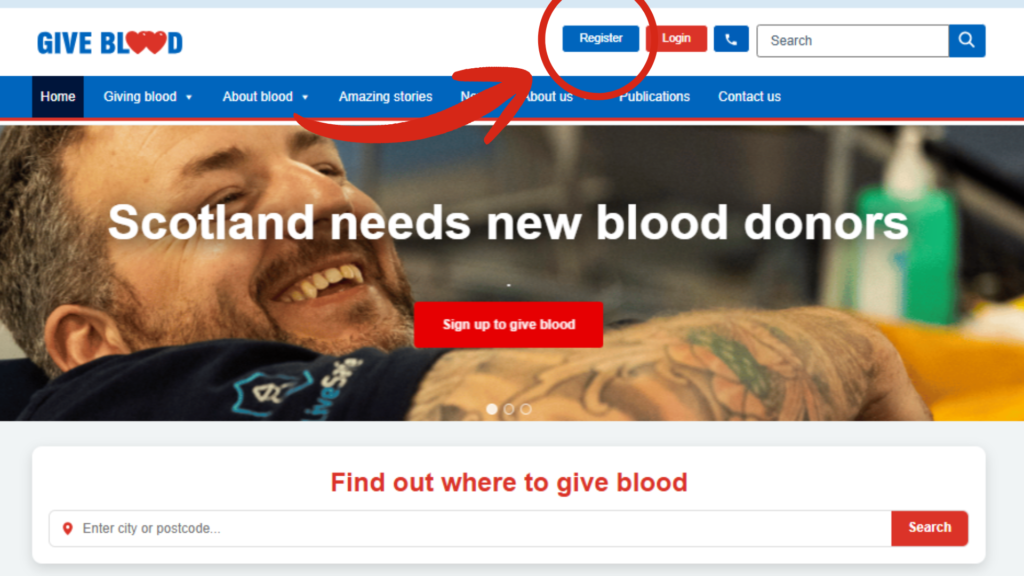
- Click register on the top right hand corner of our web page (scotblood.co.uk)
- If you’re already a donor and know your donor number, fill out the ID and email fields and ‘Create account’. Done!
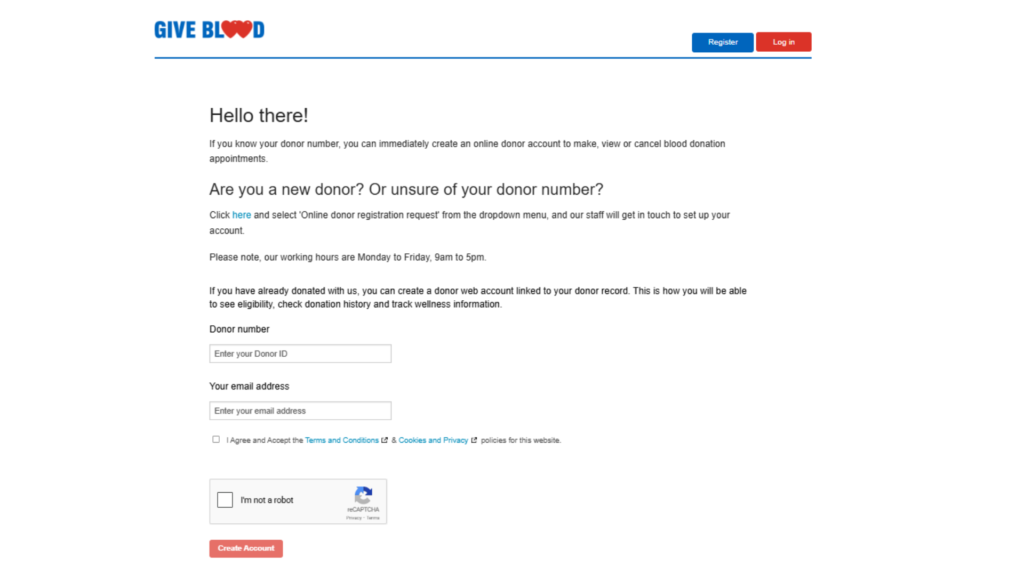
If you’re a new donor (or don’t know your donor number), click ‘here’ to proceed. This will take you to the scotblood.co.uk ‘Contact us’ page.
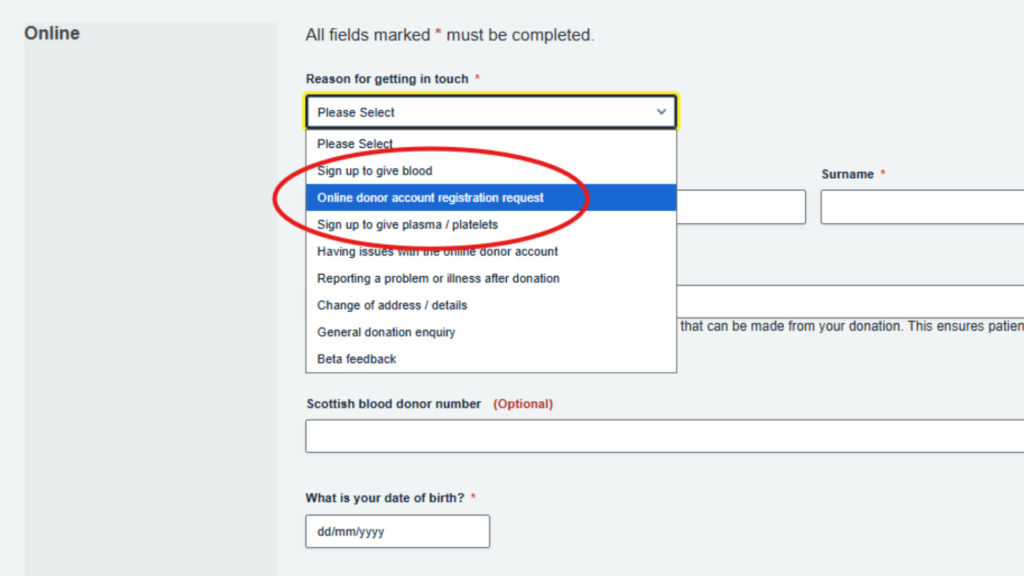
- From here, simply select ‘Online donor account registration request’ in the dropdown menu, fill out the rest of the form and click ‘Send’
When we have processed your application, we will send you an email to confirm your details. This should take no longer than two working days – if you don’t think you’ve heard back from us, have a quick look in your spam filter in case it’s arrived there.
Thank you for applying for an online donor account – we look forward to seeing you soon.
If you have any further questions get in touch online, or call us Monday to Friday, 9am-5pm, on 0345 90 90 999.